The Definitive Guide to GA4 UTM Tracking & Campaign Optimization (2026)
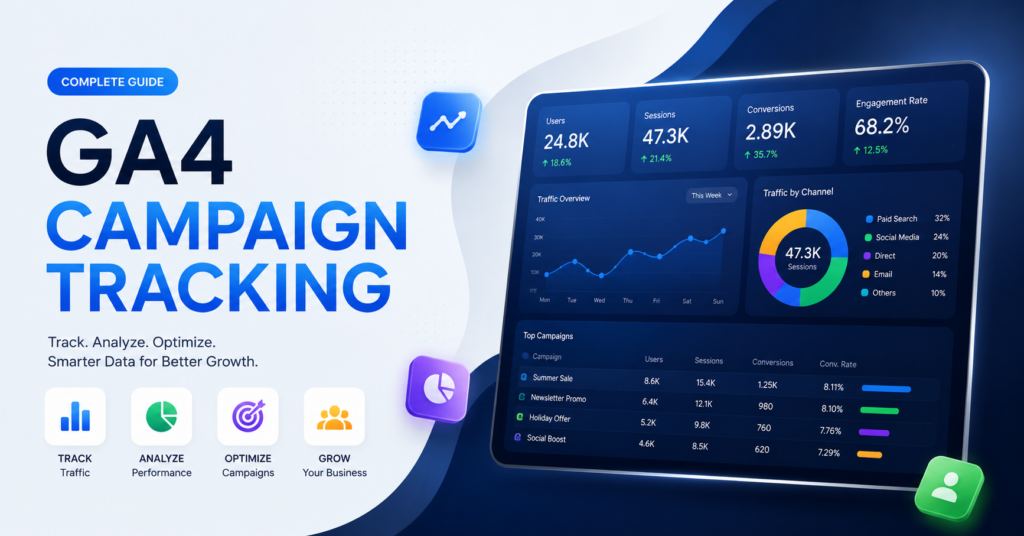
GA4 UTM tracking has become one of the most important parts of digital marketing analytics in 2026. Businesses, bloggers, advertisers, SaaS companies, ecommerce stores, and content creators rely on accurate campaign attribution to understand where traffic, conversions, and revenue actually come from. This complete guide explains how to use UTM parameters, optimize campaign reporting, improve attribution accuracy, and build privacy-focused tracking systems with Google Analytics 4.
What Is GA4 UTM Tracking?
GA4 UTM tracking is the process of adding special URL parameters to marketing links so Google Analytics 4 can identify where users are coming from. These parameters help marketers track campaign performance analytics across email campaigns, social media promotions, paid ads, influencer campaigns, affiliate marketing, and organic traffic strategies.
UTM parameters provide detailed traffic source tracking data that helps businesses understand which marketing campaigns generate engagement, conversions, leads, and revenue. Without proper Google Analytics campaign tracking, businesses often lose visibility into how users interact with marketing campaigns across platforms.
Better Attribution
Track exactly where users originate before conversions happen.
Improved ROI
Identify which marketing campaigns produce profitable traffic.
Audience Insights
Understand user behavior across campaigns and traffic sources.
Campaign Scaling
Use analytics data to scale successful campaigns faster.
Why UTM Parameters Matter in 2026
Privacy-first analytics changes and browser tracking restrictions have made first-party campaign tracking more valuable than ever. Modern analytics systems now depend heavily on structured UTM tracking guide strategies to preserve attribution data while respecting user privacy.
Google Analytics 4 tracking focuses more on events, engagement, and cross-platform reporting compared to older analytics systems. This means clean UTM naming conventions and campaign organization are critical for accurate reporting.
| Feature | Benefit | Use Case | Result |
|---|---|---|---|
| UTM Source | Identifies traffic origin | Facebook Ads | Clear platform attribution |
| UTM Medium | Defines traffic type | Email Campaign | Better channel reporting |
| UTM Campaign | Tracks campaign name | Summer Sale | Campaign-level analytics |
| UTM Content | Measures creative variations | Button A/B Testing | Improved optimization |
The Five Major UTM Parameters Explained
1. utm_source
The utm_source parameter identifies the source of your traffic. This tells GA4 where visitors originally came from.
Example:
?utm_source=facebook
2. utm_medium
The utm_medium parameter defines the marketing channel or traffic type.
Example:
?utm_medium=email
3. utm_campaign
This parameter tracks the specific marketing campaign.
Example:
?utm_campaign=black_friday_sale
4. utm_term
The utm_term parameter is mainly used for paid search keywords and audience targeting.
5. utm_content
This parameter helps compare multiple ads, buttons, banners, or creative variations.
| UTM Parameter | Purpose | Example | Best Practice |
|---|---|---|---|
| utm_source | Traffic source | Use lowercase naming | |
| utm_medium | Marketing channel | cpc | Keep naming consistent |
| utm_campaign | Campaign name | summer_launch | Use descriptive names |
| utm_term | Keyword tracking | running_shoes | Useful for paid search |
| utm_content | Creative testing | banner_a | Track A/B variations |
How to Create UTM Links for GA4 Campaign Tracking
Creating UTM links is simple when marketers follow structured naming systems. A campaign URL builder can automate link generation, reduce mistakes, and improve consistency.
Manual UTM Link Example
https://example.com/?utm_source=facebook&utm_medium=cpc&utm_campaign=spring_sale
Best Practices for UTM Naming
- Always use lowercase letters
- Avoid spaces and special characters
- Keep campaign naming standardized
- Document campaign structures internally
- Never use random inconsistent naming patterns
Consistent Naming
Standardized naming improves long-term reporting accuracy.
Centralized Tracking
Maintain one organized spreadsheet for all campaigns.
Short Clean URLs
Readable URLs improve user trust and sharing.
Campaign Segmentation
Separate campaigns clearly by platform and objective.
GA4 Campaign Reports and Attribution
GA4 campaign reports provide advanced attribution data that helps marketers understand customer journeys. Instead of relying only on last-click attribution, GA4 supports multiple attribution models and event-based analytics.
| GA4 Report | What It Shows | Why It Matters |
|---|---|---|
| Traffic Acquisition | User acquisition sources | Shows top traffic channels |
| User Acquisition | First-touch attribution | Measures initial discovery |
| Engagement Reports | Time on site and events | Tracks user quality |
| Conversion Reports | Goal completions | Measures business impact |
| Advertising Workspace | Attribution modeling | Improves campaign optimization |
Modern campaign attribution strategies require accurate event tracking combined with consistent UTM parameters. Businesses using organized campaign structures typically achieve better marketing optimization because they can identify high-performing traffic sources quickly.
Traffic Sources You Should Track
Every serious marketing campaign should include structured traffic source tracking. Many businesses only track paid ads, but modern analytics workflows require visibility across multiple acquisition channels.
| Traffic Source | Tracking Difficulty | Recommended UTM Strategy | Ideal Campaign Type |
|---|---|---|---|
| Email Marketing | Easy | Use campaign segmentation | Newsletter campaigns |
| Facebook Ads | Medium | Track creatives separately | Lead generation |
| Google Ads | Medium | Combine auto-tagging with UTMs | Search campaigns |
| YouTube Campaigns | Easy | Track videos independently | Brand awareness |
| Influencer Marketing | Hard | Unique creator identifiers | Product launches |
Common UTM Tracking Mistakes
Many businesses lose campaign data accuracy because of inconsistent tracking practices. These mistakes can create duplicate reporting, attribution confusion, and inaccurate campaign performance analytics.
Inconsistent Naming
Using both “Facebook” and “facebook” creates fragmented reports inside Google Analytics 4 tracking dashboards.
Internal UTM Tracking
Using UTMs on internal website links breaks attribution reporting and overwrites original traffic sources.
Missing Parameters
Incomplete URLs reduce reporting clarity and limit campaign optimization capabilities.
Broken URLs
Incorrect syntax or formatting can destroy campaign tracking entirely.
Standardize Naming
Create one approved naming framework for all campaigns.
Avoid Internal UTMs
Never place UTM parameters on navigation links.
Use Validation
Test campaign URLs before publishing campaigns.
Track Documentation
Maintain campaign logs for better collaboration.
Privacy-First Analytics and UTM Tracking in 2026
Privacy-focused analytics has transformed digital marketing analytics in recent years. Browser restrictions, cookie limitations, and consent-aware measurement systems have pushed businesses toward cleaner first-party tracking solutions.
UTM parameters remain highly valuable because they provide direct campaign attribution information without depending entirely on third-party cookies.
Important 2026 Trends
- First-party data tracking is becoming standard
- Consent-aware analytics systems are increasing
- Server-side tracking adoption continues growing
- Privacy-safe analytics tools are gaining popularity
- Marketers prioritize transparent data collection practices
Businesses using organized GA4 setup strategies combined with structured UTM tracking systems are more prepared for long-term analytics stability.
Campaign Optimization Strategies for Better ROI
Campaign optimization is not only about collecting data. The real advantage comes from analyzing user behavior and improving future campaigns using actionable insights.
Identify Top-Performing Campaigns
Analyze conversion rates, engagement time, and revenue metrics to identify the campaigns delivering the strongest ROI.
Improve Audience Segmentation
Different traffic sources attract different audiences. Segment campaigns by user intent and acquisition channel.
Use A/B Testing
Test headlines, creatives, CTA buttons, and landing pages using utm_content variations.
Optimize Paid Ads Tracking
Combine paid ads tracking with conversion events to improve bidding strategies and budget allocation.
Monitor Cross-Platform Attribution
Modern customer journeys often involve multiple platforms before conversion. Use GA4 attribution reporting to understand complete user journeys.
| Optimization Area | Goal | Recommended Action | Expected Result |
|---|---|---|---|
| Email Campaign Tracking | Increase engagement | Segment audiences | Higher open rates |
| Social Media Campaign Tracking | Improve conversions | Test creatives | Better CTR |
| Paid Ads Tracking | Reduce acquisition costs | Refine targeting | Improved ROI |
| Landing Page Optimization | Boost conversions | Improve UX | Lower bounce rate |
Best Practices Checklist for GA4 UTM Tracking
- Use consistent lowercase naming conventions
- Track all external campaigns with UTM parameters
- Maintain centralized campaign documentation
- Avoid using UTMs internally on websites
- Monitor campaign reports regularly
- Use descriptive campaign naming structures
- Test links before launching campaigns
- Review attribution data weekly
- Combine UTMs with conversion tracking
- Optimize campaigns based on engagement metrics
Frequently Asked Questions
What is UTM tracking in GA4?
UTM tracking in GA4 uses URL parameters to identify traffic sources, campaigns, and marketing channels inside Google Analytics 4 reports.
Does GA4 automatically track UTM parameters?
Yes, Google Analytics 4 automatically reads and processes UTM parameters from campaign URLs.
What are the best UTM naming conventions?
Use lowercase naming, avoid spaces, maintain consistency, and organize campaigns logically.
Can UTM tracking work without cookies?
Yes, UTM parameters can still provide useful attribution data even with privacy-focused browser restrictions.
Why is campaign attribution important?
Campaign attribution helps marketers understand which channels and campaigns generate conversions and revenue.
Should I use UTM parameters on internal links?
No, internal UTMs can overwrite attribution data and create inaccurate analytics reports.
How often should campaign reports be reviewed?
Most businesses should review campaign performance analytics weekly for ongoing optimization.
Recommended GA4 & Analytics Tools
Google Analytics 4
Access the official Google Analytics dashboard for traffic reports, campaign attribution, conversion tracking, and audience insights.
| Feature | Benefit |
|---|---|
| Campaign Reports | Track marketing performance |
| Traffic Sources | Analyze acquisition channels |
| Conversion Tracking | Measure business goals |
Campaign URL Builder
Create properly structured UTM parameters for email campaigns, social media ads, paid traffic, and marketing attribution tracking.
| Feature | Benefit |
|---|---|
| UTM Builder | Create tracking URLs quickly |
| Campaign Naming | Improve reporting consistency |
| Traffic Attribution | Track campaign performance |
Google Search Console
Monitor organic traffic performance, keyword visibility, indexing status, and SEO growth directly from Google Search Console.
| Feature | Benefit |
|---|---|
| SEO Performance | Track keyword rankings |
| Index Coverage | Monitor page indexing |
| Search Analytics | Understand organic traffic |
PageSpeed Insights
Analyze website performance, Core Web Vitals, mobile usability, and page speed optimization opportunities.
| Feature | Benefit |
|---|---|
| Core Web Vitals | Improve user experience |
| Mobile Testing | Optimize mobile speed |
| Performance Reports | Boost SEO rankings |